Why DeepKeep

As AI Adoption Grows, So Do Security Risks

DeepKeep protects AI across the entire lifecycle—from model vulnerabilities and user prompts to employee AI usage.

Model Scanning
01
Model Scanning

Identify AI Model Vulnerabilities Before Deployment

AI models can carry risks from training data, architecture, and deployment environments. DeepKeep detects vulnerabilities before deployment to support safer AI operations.
check_circle Scan AI Agents, VLMs, and LLMs
check_circle Identify Model Vulnerabilities Early
check_circle Detect Malware and Security Risks
check_circle Validate Security Before Deployment
Vibe Red Teaming
02
Red Teaming

Validate AI Defenses with Real-World Attack Scenarios

AI systems face threats such as prompt injection, data exfiltration, and harmful outputs. DeepKeep simulates realistic attacks to validate how effectively your AI defenses respond.
check_circle Test Prompt Injection Attacks
check_circle Assess Sensitive Data Leakage Risks
check_circle Test for Harmful Content Generation
check_circle Evaluate AI Model Policy Effectiveness
AI Firewall
03
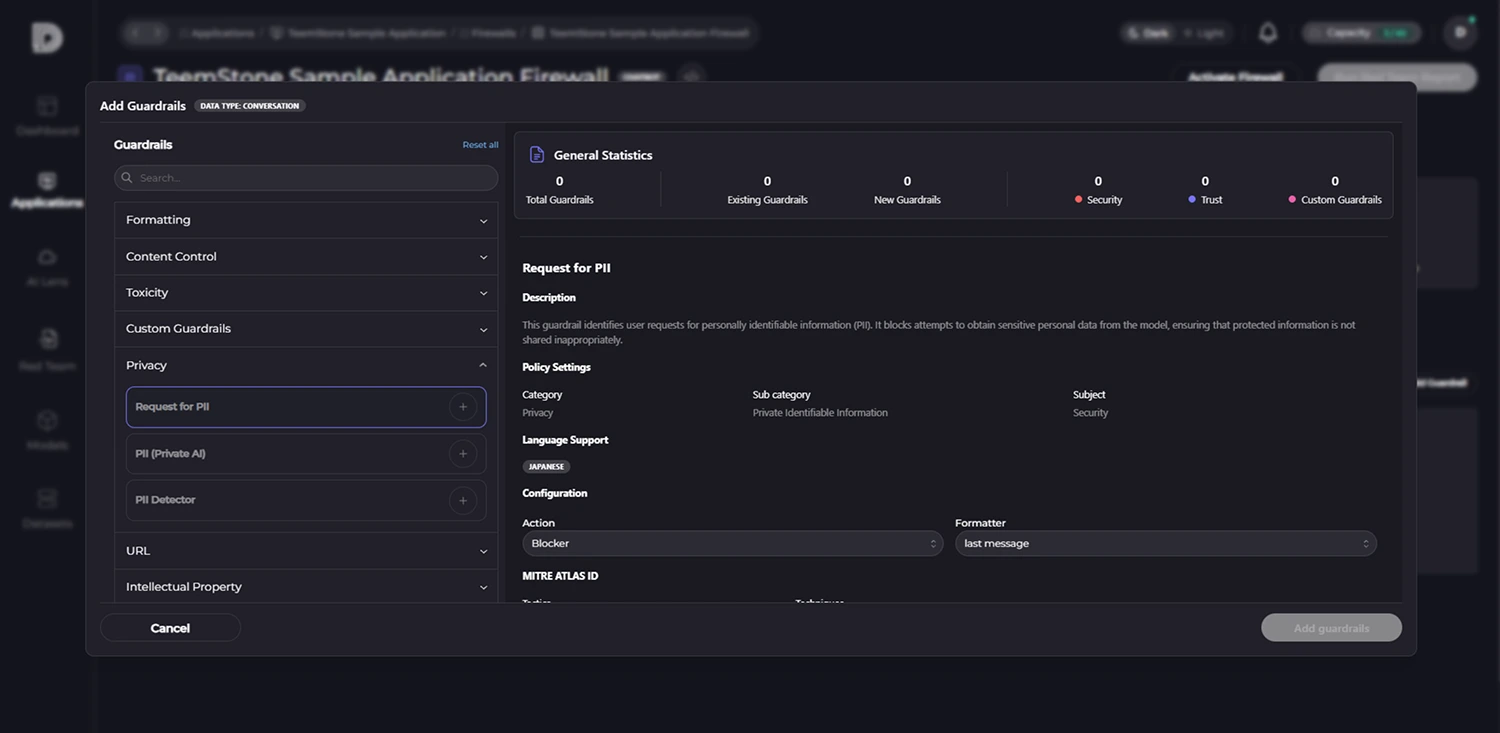
AI Firewall

Detect and Block Risky AI Interactions in Real Time

AI chatbots and agents can expose organizations to unsafe requests, sensitive data leakage, and policy violations. DeepKeep inspects prompts and responses in real time and blocks risky interactions before they cause harm.
check_circle Scan User Prompts in Real Time
check_circle Detect Personal and Sensitive Data
check_circle Automatically Block Harmful Requests and Responses
check_circle Apply Guardrails to Model Responses
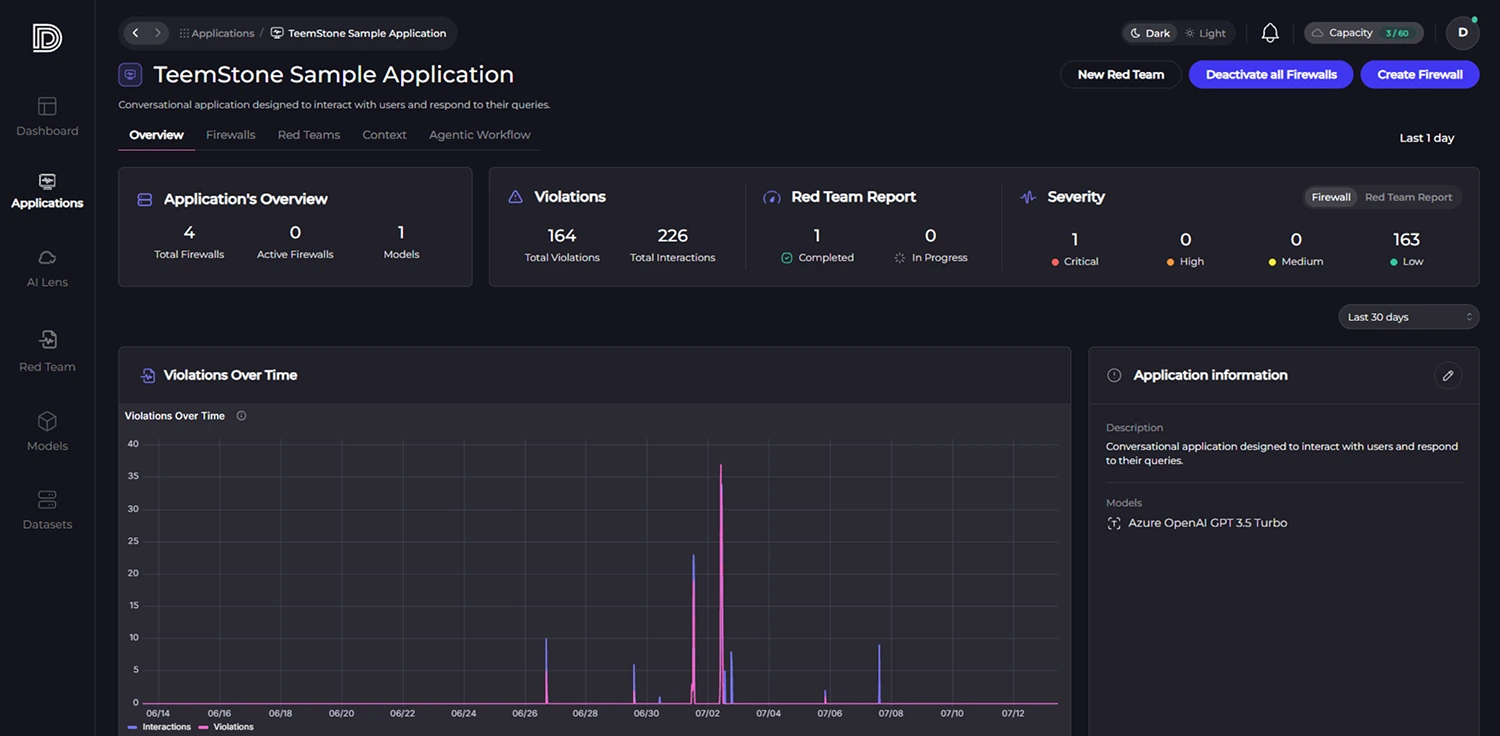
AI Lens
04
AI Lens

Gain Visibility and Control Over Employee AI Usage

As employees adopt tools such as ChatGPT, Claude, Copilot, and Cursor, organizations face growing risks from Shadow AI and sensitive data exposure. AI Lens provides visibility into AI usage and enables organization-wide governance.

check_circle Monitor AI Tool Usage Across Your Organization
check_circle Detect Shadow AI and Unauthorized Usage
check_circle Analyze Prompts and Usage Patterns
check_circle Manage Organization-Wide AI Usage Policies
Governance

4 Steps to AI Security Governance

Build end-to-end AI security governance, from model validation to
real-time monitoring.

STEP 1

Verify AI Model Security Before Deployment
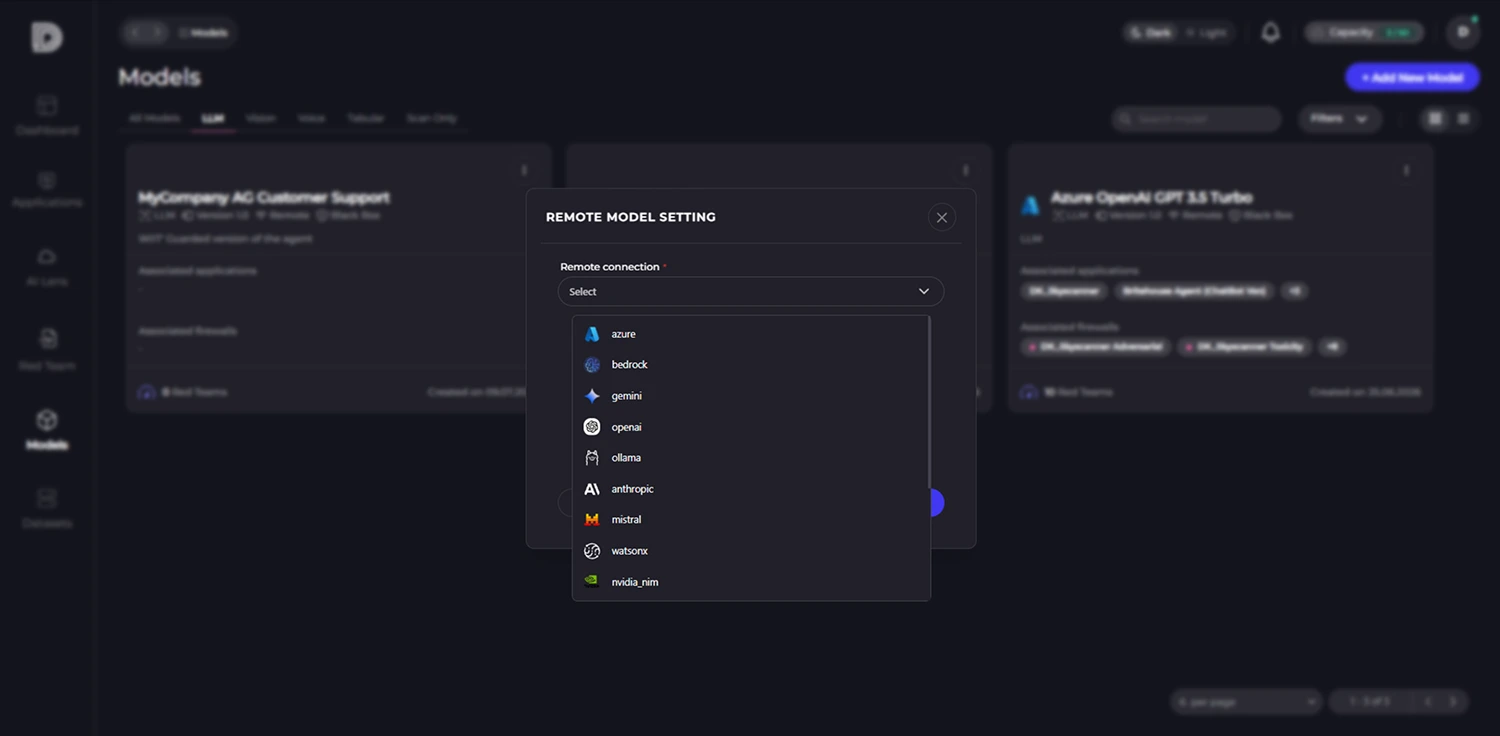
check_circle Detect malicious code and suspicious objects in model files
check_circle Identify unsafe serialization methods such as Pickle
check_circle Detect libraries and dependencies with known vulnerabilities
check_circle Verify model provenance, checksums, licenses, and other supply chain risks
DeepKeep · Model Scan
Model Scanning results screen
STEP 2

Validate AI Services Before Deployment
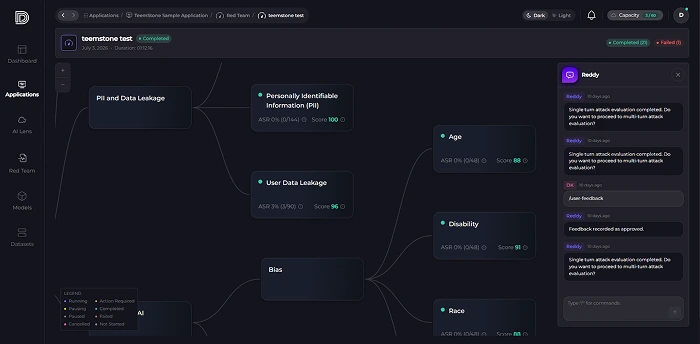
check_circle Red-team LLMs and validate defenses through targeted testing
check_circle Test for prompt injection, jailbreaks, system prompt exposure, and sensitive data leakage
check_circle Assess evasive attacks using encoding, multilingual prompts, role-playing, and multi-turn conversations
check_circle Test for harmful content, malicious code, and misinformation generation
check_circle Verify that guardrails detect, block, and log threats as intended
DeepKeep · Vibe Red Teaming
Red Teaming report screen
STEP 3

Protect AI Interactions in Real Time

DETECTION
check_circle Detect prompt injection and jailbreak attempts
check_circle Detect personal and confidential information
check_circle Detect malicious and harmful requests
check_circle Detect attempts to hijack system prompts
PROTECTION
check_circle Block dangerous requests
check_circle Mask personal and corporate sensitive information
check_circle Rewrite or replace risky content
check_circle Apply policy-based allow/block rules and maintain audit logs
DeepKeep · AI Firewall
AI Firewall console screen
STEP 4

Unified AI Security Monitoring

check_circle Track detected and blocked security threats
check_circle Monitor incidents by attack type and risk level
check_circle View AI usage by user, application, and model
check_circle Review applied security policies and blocking results
check_circle Track security event trends over time
check_circle Review prompts, blocking reasons, and response actions in detail
DeepKeep · Security Monitor
Security monitoring dashboard screen
AI Lens

Take Control of Shadow AI with AI Lens

See how AI is used across your organization, uncover Shadow AI, control access by user, and protect prompts and responses in real time.

AI Lens integrated dashboard
Key Features

Features

shield

Reduce the Risk of Data Leakage

Detect and block sensitive information in real time to prevent unauthorized exposure.

policy

Apply Policies by Team and Role

Set AI usage policies by department, team, and user role.

visibility

Gain Visibility into AI Usage and Violations

See who is using which AI tools, how they are being used, and where violations occur.

verified_user

Enable Secure AI Adoption

Manage security risks while accelerating AI adoption across your organization.

Coverage

Supported Environments

DeepKeep supports a wide range of AI platforms, models, and tools.

ChatGPT logo ChatGPT Azure AI logo Azure AI Cursor logo Cursor Llama logo Llama DeepSeek logo DeepSeek Gemma logo Gemma Open WebUI logo Open WebUI Hugging Face logo Hugging Face Gemini logo Gemini IBM watsonx logo IBM watsonx Grok logo Grok Ollama logo Ollama Anthropic logo Anthropic Claude logo Claude NVIDIA logo NVIDIA Mistral AI logo Mistral AI Perplexity logo Perplexity